
Microsoft Windows 10 End of Support and Device Upgrades Suggestion
Dear Parents and Carers,
We would like to kindly inform you of an important change regarding student devices, particularly for those using Self-Managed Device (BYOD) computers.
Microsoft has announced that Windows 10 will reach its End of Support (EOS) on 14 October 2025. After this date, devices running Windows 10 will no longer receive security updates, feature improvements, technical support, or bug fixes. While these devices will continue to function, they will become increasingly vulnerable to security risks and system issues.
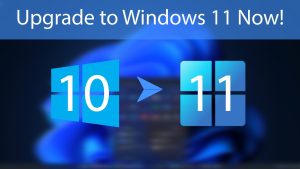
What This Means to You
The AHS Student 1-to-1 Laptop Program allows families to choose either the School-Managed Device option or the Self-Managed Device (BYOD) option.
All School-Managed Devices chosen by families have already been deployed or upgraded to Windows 11 and are compliant with the Department of Education’s cyber security standards. No further action is required at this stage.
Families who have opted for a Self-Managed Device (BYOD) are fully responsible for ensuring their child’s device meets the Department’s minimum requirements for operating systems and cyber security standards.
What You Need to Do Next
If your child is using a Self-Managed Device (BYOD) that is currently running any version of Windows 10, you will need to check whether it is eligible for a free upgrade to Windows 11 before Windows 10 reaches its End of Support (EOS):
- Go to Start > Settings > Update & Security > Download and Install
- Free Upgrade to Windows 11
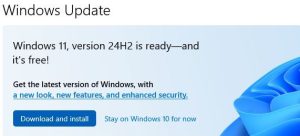
If your child’s device is not eligible for a free upgrade, or if the hardware is not supported by Windows 11, we strongly recommend planning for a replacement device before Windows 10 reaches its end of support. This will ensure students can continue accessing online learning tools securely and without disruption beyond the cut-off date, while remaining compliant with the Department’s minimum requirements for device access to the school network.
For guidance on transitioning to Windows 11, we recommend visiting Microsoft’s official support page for further information.
If you have any questions, please do not hesitate to contact the school’s IT Team at it@auburnhs.vic.edu.au.
IT Department
Auburn High School